
Welcome To Our "Ever-Evolving & Changing" Resource Webpage For Club Presidents, Club Officers, and Members!
 
Club logos for all District 5890 Rotary clubs can be downloaded from this webpage!
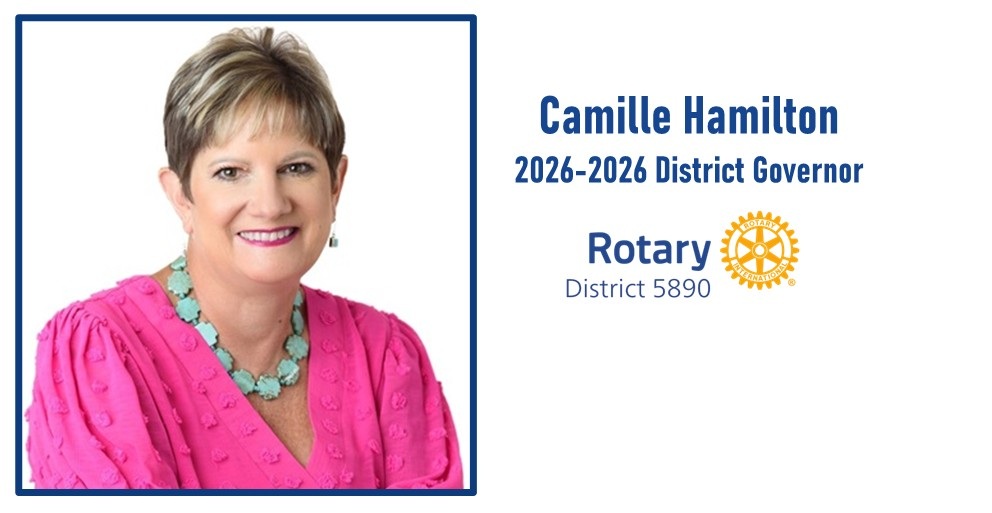
This webpage was originally created so Rotary club presidents could download their RI compliant club logos.  It has now grown into a collection of events, resources, links, and materials that District Governor Camille Hamilton and his District 5890 leadership want to share with you, and your club for 2026-2027. 
 
It's available for any member to use, but the priority is sharing information with club presidents.

OUR 2026-2027 PRESIDENTIAL MESSAGE:  "CREATE LASTING IMPACT"

CLICK HERE tO VISIT OUR DISTRICT 5890 "CREATE LASTING IMPACT" RESOURCES WEBPAGE
 
One of the most important things we can do to tell our Rotary stories in an effective, compelling way is to make sure we all use consistent and unified messaging.
 
You can use the president's message for 2026-27, Create Lasting Impact, to inspire members, participants, and the public with an idea that aligns with our Action Plan and calls on us to work together. Using the presidential message in your club and district communications helps to convey Rotary’s global impact and create stronger recognition of Rotary’s name in our communities and with potential service partners. It can help people understand who we are and what we do and might even inspire them to join us.
 
Please Click Here to find "Create Lasting Impact" resources to help tell your club's story about making your community and the world a better place for us.
We've Created A Club Logo For You!
Download Your Correct, Rotary International Compliant Club Logo! 
Need a club logo for club materials or to add to a Facebook post? 
Download it today! 
One has been created in Rotary Brand Center for each District 5890 club. 
 
Use the link below to visit our District 5890 Club Logo webpage to find and download your club's logo.

2027 Rotary District 5890 Conference & Golf tournament in waco!

 
Y'all, Waco is calling — and trust me, you don't want to miss this one!  Whether you're strolling the iconic Magnolia Market at the Silos, savoring legendary Central Texas BBQ, catching breathtaking views along the Brazos River, or exploring the vibrant shops and murals of a city that truly rolls out the red carpet for every visitor, Waco wraps you in that irresistible small-town warmth with big-city heart.
 
Click here to visit our 2027 District Conference website for registering, reserving your hotel room, and to discover what we'll do in Waco!  It will be an unforgettable Family of Rotary experience!

Rotary International's February 2026 Guidelines for Use of Artificial Intelligence (AI)

Two MUST Read Guidelines for Rotarians, Rotaractor, Interactors and anyone involved in any programs of Rotary to read regarding Rotary's Policies for Artificial Intelligence (AI) 
In February 2026, Rotary International issued TWO important AI Guidelines: 
and 
Both of these are intended to help Rotarians, Rotaractors, Interactors, plus anyone involved in any program of Rotary International, regarding the use of Artificial Intelligence (AI) tools responsibly, ethically, and in alignment with Rotary’s mission and values.
 

"Join our district 5890 "polioplus society!  Together, let's end polio now & forever! 



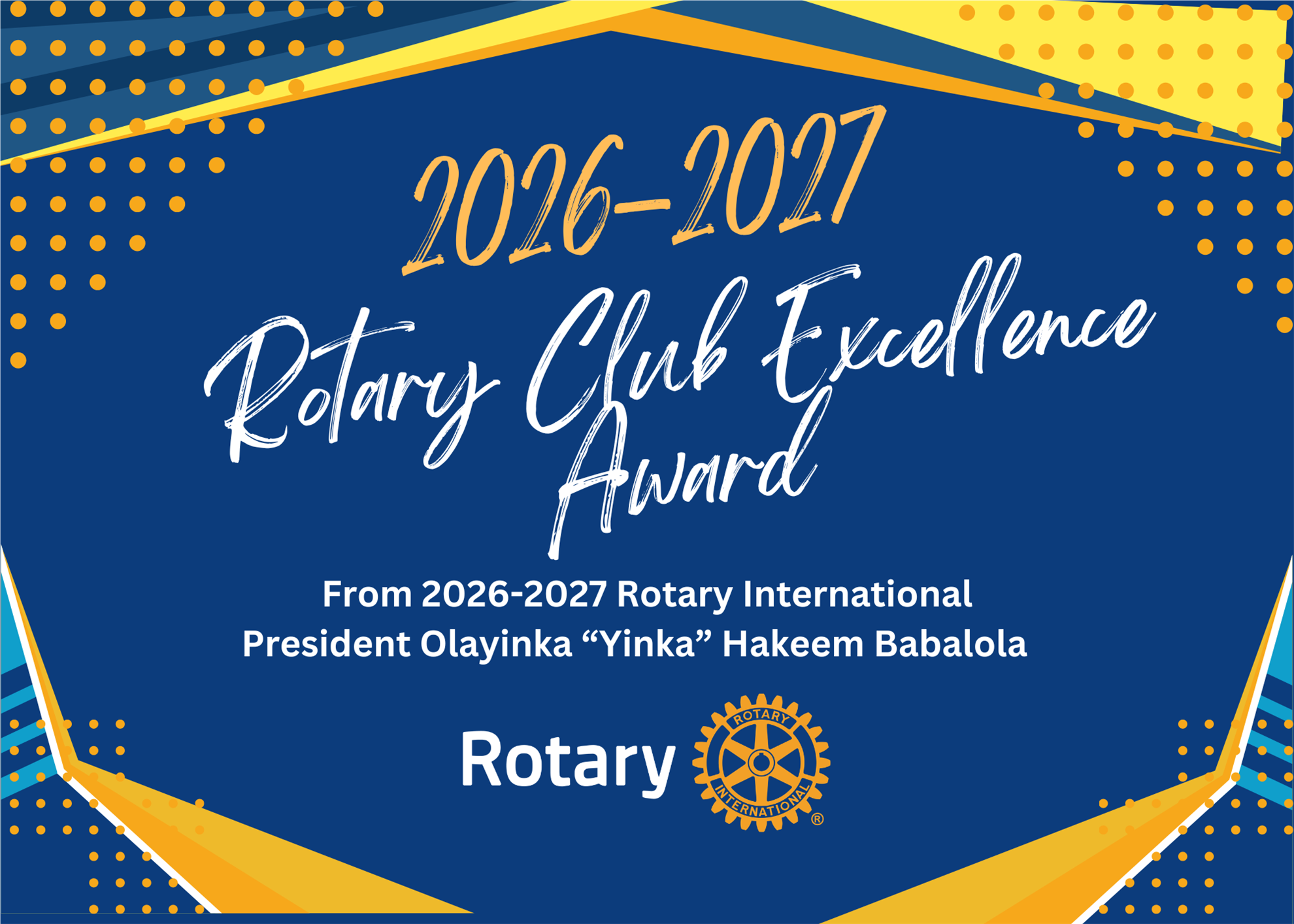
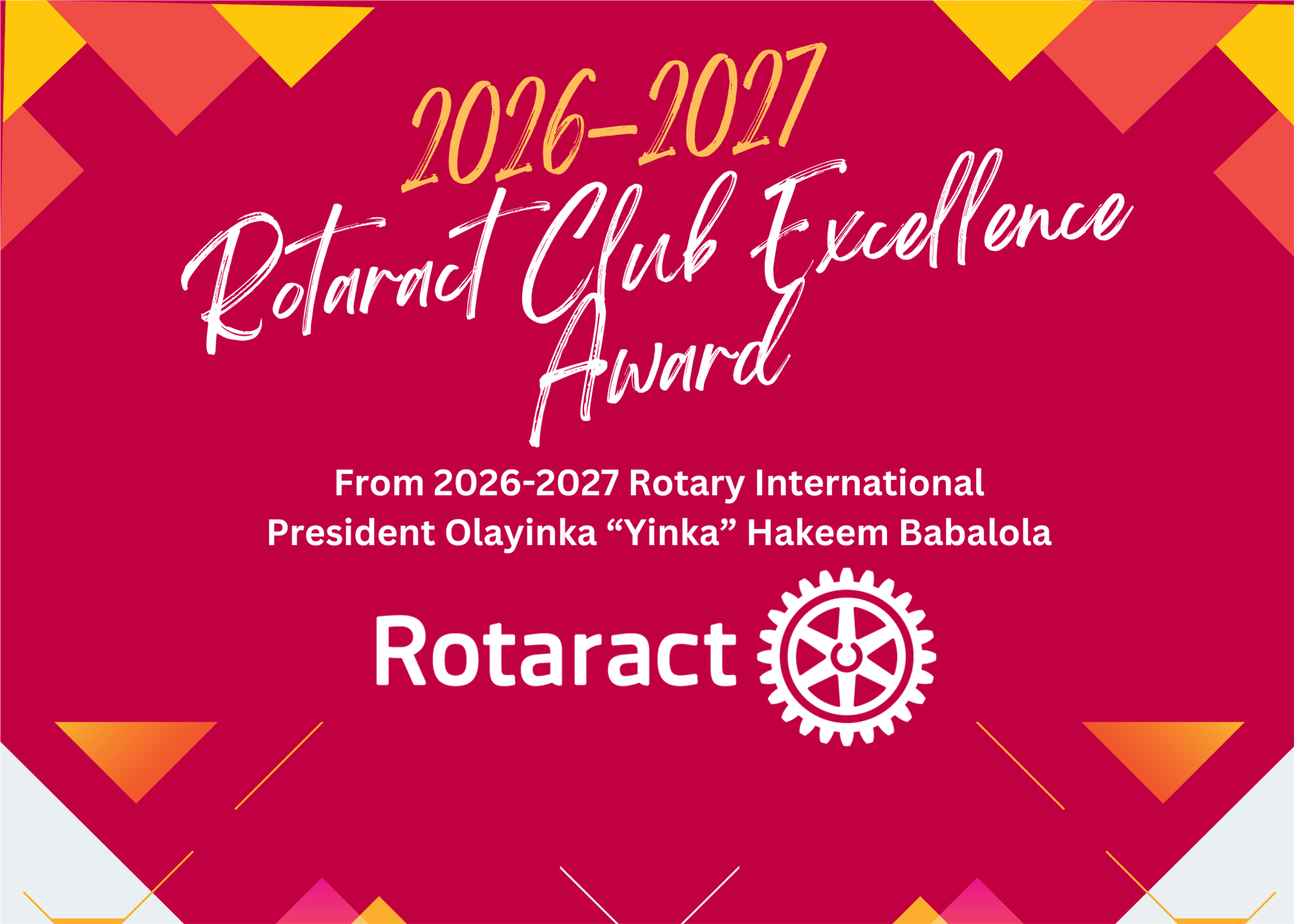
The "Club Excellence Award" is the most signification award a Rotary, interact or rotaract club can receive!
It recognizes clubs that foster a welcoming and positive experience for their members, their dedication to serving their community, plus upholding and reflecting the values of Rotary.
Deadline for the 2026-2027 Award will be June 30, 2027.
To learn more, visit the links below or visit .: 
Club Logo Lockup & Graphics for Websites & Social Media Using 2026-2027 "Create Lasting Impact" 
While Rotarians are excited about the 2026-2027 Presidential Message, Create Lasting Impact, Rotary has guidelines for us to follow.  Click Here to visit Rotary Brand Center for information about how to use the 2026-2027 Presidential Message.
 
There are clubs "lockup logos"...and there are "graphics".  Read below to learn the difference and how to use them.
CUSTOM CLUB "LOGO LOCKUP" TEMPLATES (Your club logo plus the presidential message)
Remember, your official club are the primary way to promote Rotary in your community, but you can visually incorporate the presidential messaging by joining your club logo in a logo lockup with the message on assets such as: 
  • Club Newsletter Templates
  • Rotary Email Signatures
  • Club Badges, invitations, logos, etc.
  • Backgrounds for online meetings, and club materials
Create a quick and easy Logo Lockup for your club like the example below created in Brand Center by clicking here.
Ready to create a "logo lockup" which includes your club logo and the Presidential Message?
Click here for the "Template" in Rotary Brand Center to get started! (note that there are templates for Rotary, Interact, and Rotaract
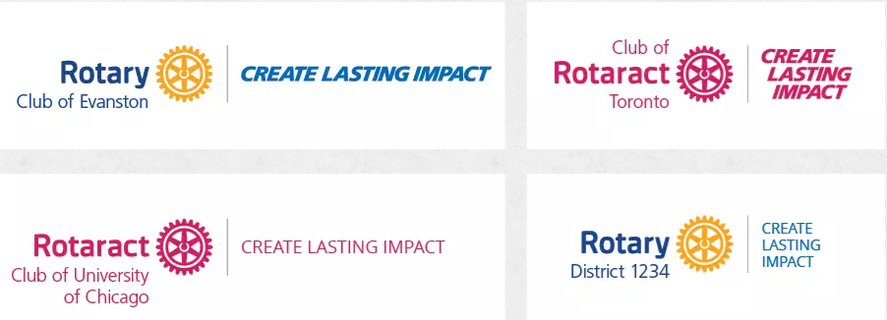
  • A graphic format (see examples below, left): Your club, district, or zone logo + the presidential message. Find the graphic in the drop-down menu in the lockup template.
  • A text format (see examples below, right): Your club, district, or zone logo + the presidential message.  Type the message in the text box in the lockup template.
 

GRAPHICS FOR SOCIAL MEDIA AND WEBSITES
Graphics below are NOT for use as a club logo. 
They are specifically for use on websites and social media.
CLICK TO DOWNLOAD GRAPHICS TO USE ON YOUR CLUB WEBSITE AND SOCIAL MEDIA.   
    
 
Incorporate the presidential message when speaking with your clubs, districts, and your community. Incorporate our annual message by using it in communications such as:
  • Club and district presentations
  • Conversations with potential partners and donors
  • Interviews on podcasts, TV, or radio
  • Social media content and blog posts
Click here to select and download the Create Lasting Impact graphics.
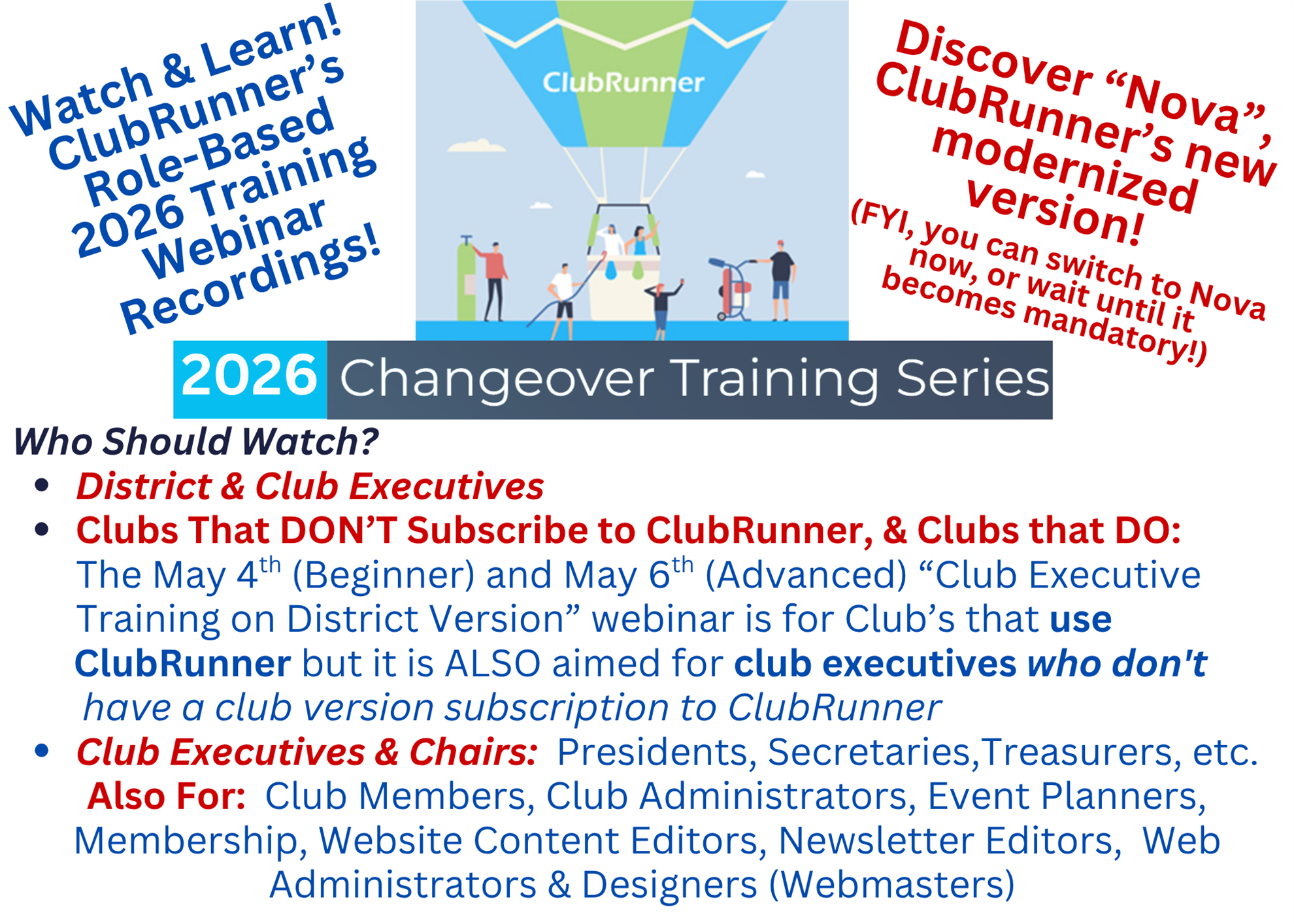
A MUST For Club Executives & Committee Chairs:   Watch ClubRunner's Webinar Recordings!
On April 5, 2026, ClubRunner emailed the executive officers of District 5890 clubs that subscribe to ClubRunner with links to their 2026 Changeover FREE Webinars.  

What if you don't use ClubRunner?  

You can still access the "Adminstration" section of the District website to manage your own club members.  Watch the May 6th, "(Beginner) Club Executive Training on District Version", and the May 7th, "(Advanced) Club Executive Training on District Version." 
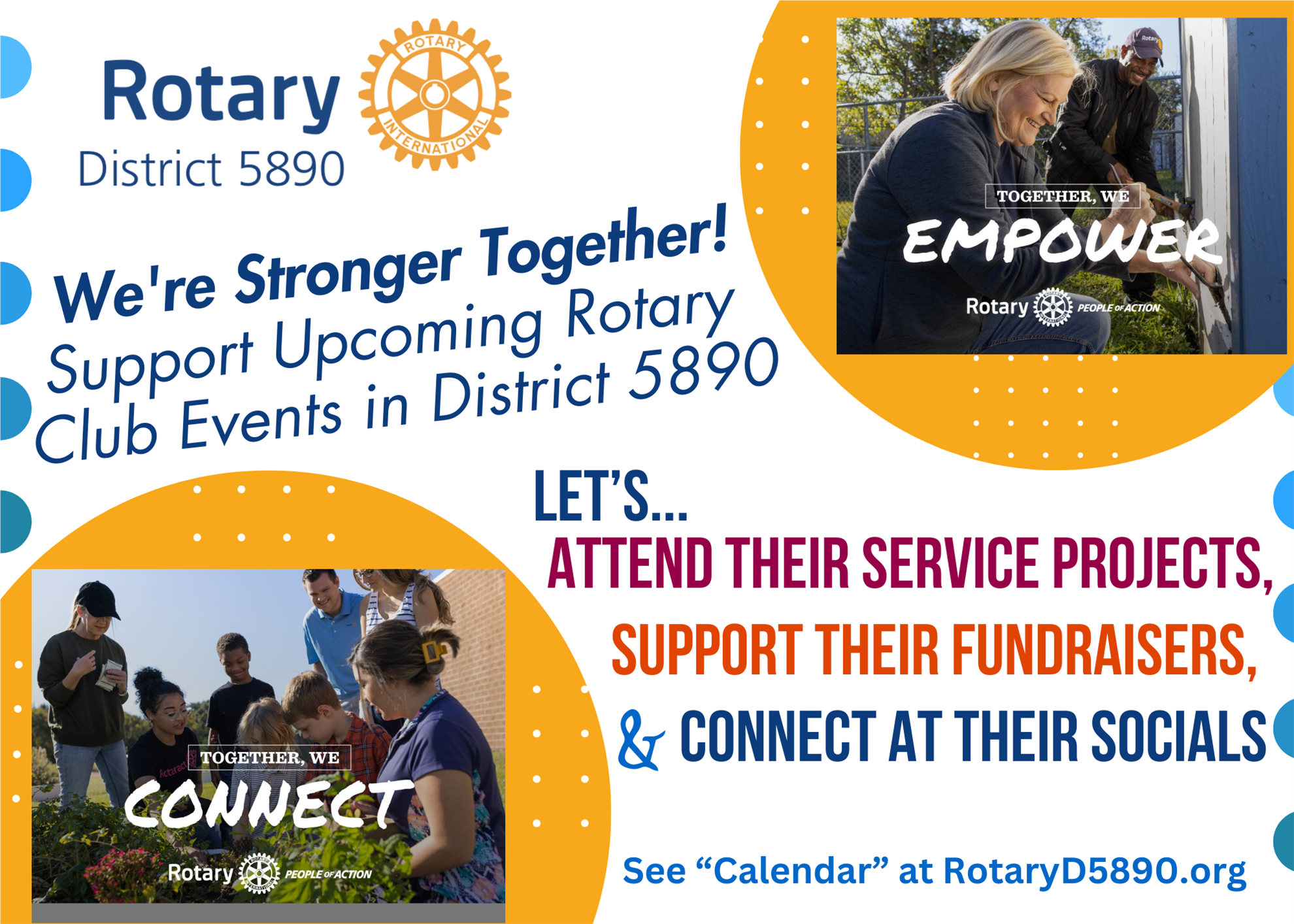
We're Stronger Together! 
Want other clubs to support your events & fundraisers and them to support yours?  We encourage you to add your CLUB EVENTS/SOCIALS & FUNDRAISERS (please, not club meetings or board meetings) to our District Calendar.  It's easily done via your club' website!  When adding the event to your club's calendar, make sure you select "Club Event" or "Fundraiser", the complete the event details...then select "Yes - Show Event In District Calendar.  Click here for step-by-step instructions - #3 explains "Club Event" or "Fundraiser, and #10 explains clicking the "Yes" button.
Installation of our 2026-2027 District Leaders
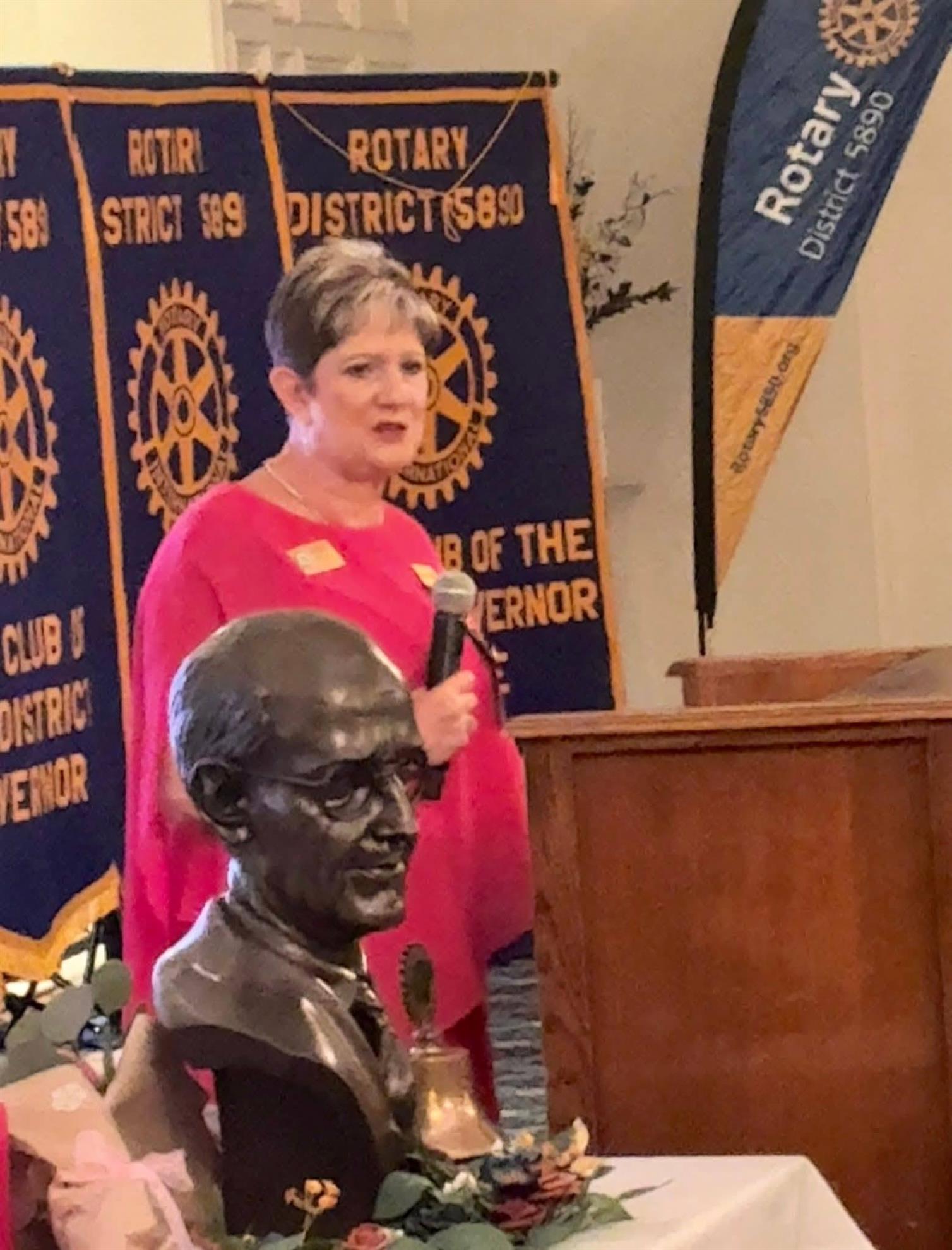
On June 26th, our District 5890 members, friends and family enjoyed an evening that celebrated the beginning of a new Rotary year at the Northgate Country Club. Our 2026-2027 District Governor Camille Hamilton and our District Leaders were officially installed for their leadership year!
Special thanks to DG Camille's family, friends and members of Rotary District 5890 members for supporting her for her leadership year.
Have You Created Your "My Rotary" Account on Rotary.org?  
You'll Need An Account To Access Several Links Below
Rotary.org is for the general public, but having a "My Rotary" account gives you access to information only available to club members such as:  Donation History, Club Reports, Adding/Editing Membership, Rotary Club Central, etc.
 
Visit our District 5890 "Public Image Toolkit For Promoting Grants & Thanking Donors
Public Image isn’t about publicity — it’s about clarity.  When we tell the story of a Rotary Foundation grant, we help people understand the human impact behind the work. A powerful Rotary story always begins with the human need. Not the grant number, not the budget — the people - and that includes the donors that help the dream become reality.
 
Assets include a customizable club PowerPoint that you can use to recognize donors to The Rotary Foundation plus members that:
  • Received their first Paul Harris Fellow
  • Become Multiple Paul Harris Fellows
  • Paul Harris Society Members
  • And Major Donors
We also have 30-second videos about Rotary's Areas of Focus branded with our Rotary District 5890 logo and a "call-to-action" to help anyone interested in finding a local Rotary club near them. 
Thank Your Members As Donors To The Rotary Foundation With These Customizable Scripts
Generous contributions to The Rotary Foundation are essential to securing and growing Rotary programs throughout the world. We recognize donors to express our gratitude for your commitment, offering individual and club recognition as well as naming opportunities that enable you to honor a friend or family member with a named or endowed gift.
 
Materials below have been created by Rotary District 5890 to assist you in thanking and recognizing members of your club, or community, at your club meetings as donors to The Rotary Foundation.
  • PowerPoint Template for clubs to download and create a customized presentation to donor to The Rotary Foundation - Click here
  • One-Minute Script to Recognize A Donor to The Rotary Foundation - Click Here
  • Two-Minute Script to Recognize a Donor to The Rotary Foundation - Click Here

Below are specific Recognition Specific Level Materials 

PAUL HARRIS FELLOW
When you give $1,000 or more to the Annual Fund, PolioPlus, or an approved Foundation grant. Learn more about Paul Harris Fellow recognition
Click here - Member receives their first Paul Harris Fellow

MULTIPLE PAUL HARRIS FELLOW
When you give additional gifts of $1,000 or more to the Annual Fund, PolioPlus, or an approved Foundation grant. 
Click here for Multiple Paul Harris Fellow presentation script.

PAUL HARRIS SOCIETY MEMBER
When you elect to contribute $1,000 or more annually to the Annual Fund, PolioPlus, or an approved Foundation grant. Learn more about the Paul Harris Society.
Click here for Paul Harris Society Member presentation script.

MAJOR DONOR

When your cumulative donations reach $10,000. Major Donors can choose to receive a crystal recognition piece and a Major Donor lapel pin or pendant. NOTE: Name recognition is not automatic and needs to be reported to RI staff. Recognition items commemorate giving at these levels:

  • Level 1: $10,000 to $24,999
  • Level 2: $25,000 to $49,999
  • Level 3: $50,000 to $99,999
  • Level 4: $100,000 to $249,999
Click here for Major Donor presentation script.
Want to Create Club Promo Materials?  The Video Below Shows You How!
Discover Rotary Brand Center! 
Our all-in-one video below includes four short Rotary International videos that gives you step-by-step instructions for creating Club Logos, a Club Brochure, a People of Action Ad, plus one that takes you on a tour of Brand Center.  
 

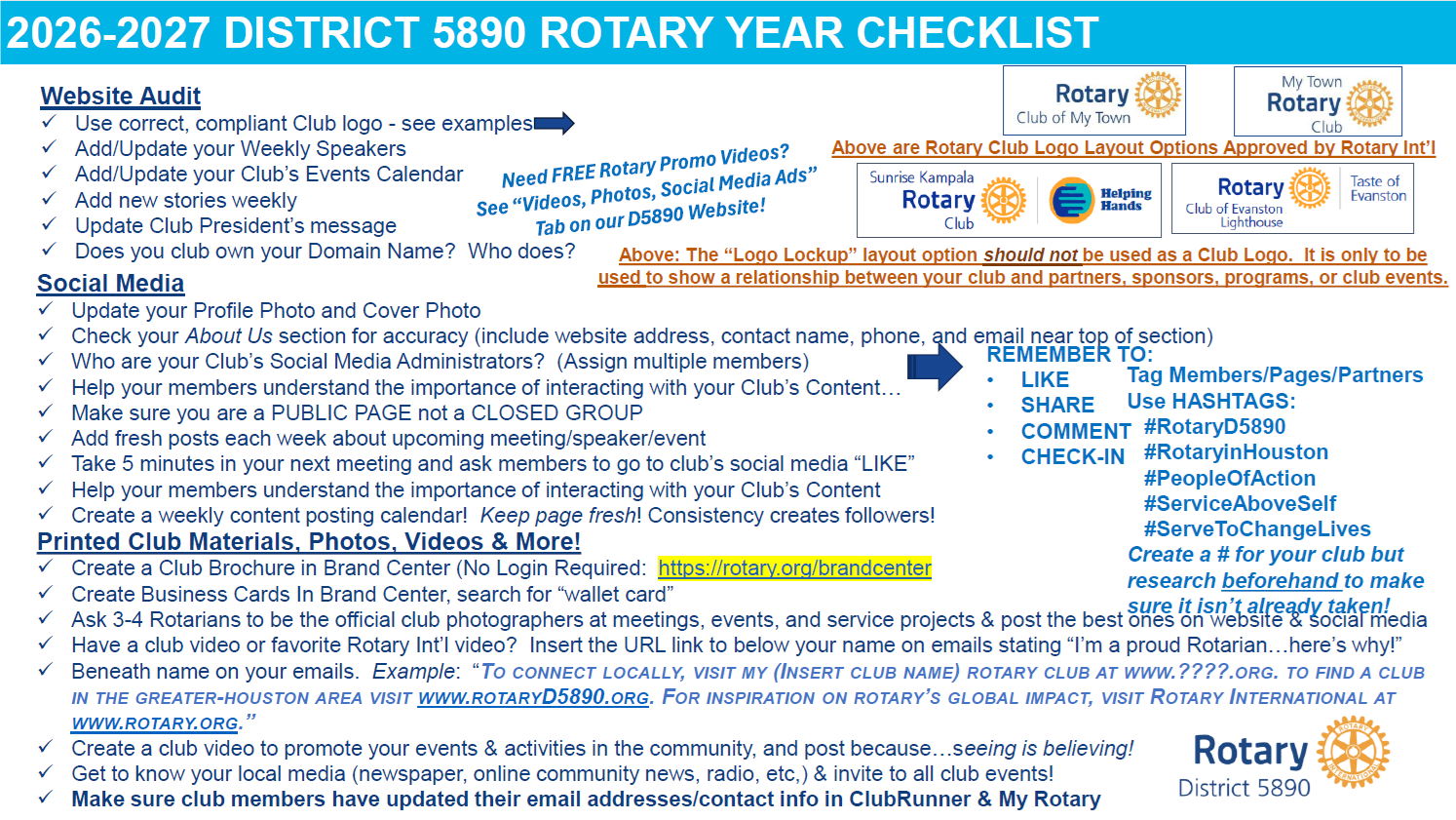
YOUR 2026-2027 NEW YEAR CHECKLIST

What should be prepared to update on July 1st? 
 
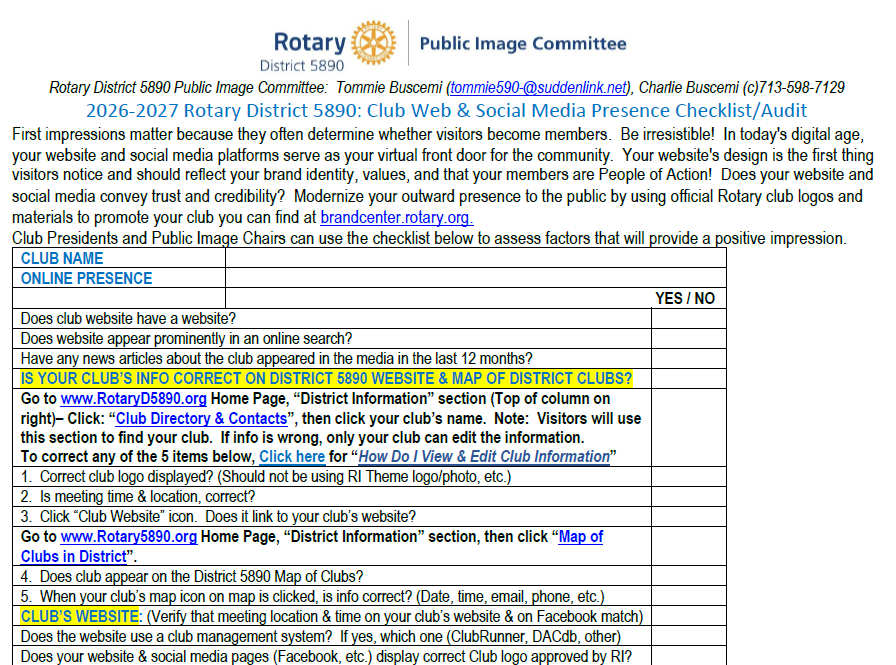
You can also use our District 5890 Club Website and Social Media Checklist/Audit Form - Click here!

2026-2027 CLUB WEBSITE & SOCIAL MEDIA AUDIT & CHECKLIST
Your club's website and social media is the doorway for your community to learn more about your club.  They connect your club with current and past members, prospective members, donors, and friends. Using it is also an effective way to increase your community’s awareness of your club and its activities
.


new digital platform for service activities, has launched. It gives members more opportunities to manage service projects and share stories, best practices, and interests.
Users can manage projects from mobile devices and easily share project links in email and on social media platforms such as Facebook, WhatsApp, and LinkedIn.
Click Here to watch a video created by a Rotarian that explains how to use Rotary Service Project Center.  You can tell your project stories more fully, which shows your effectiveness to potential members, partners, and donors. 
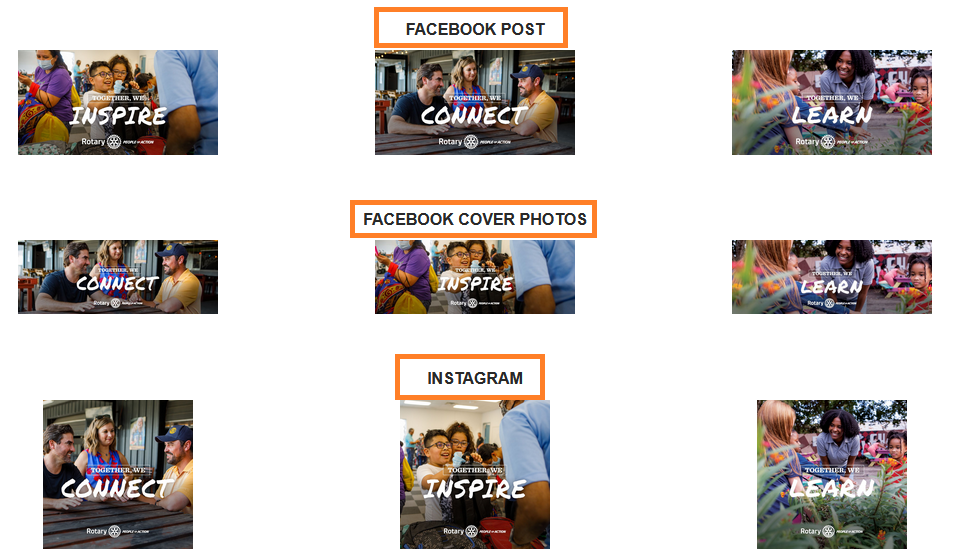
Need Photos To Promote Your Club On Your Website or Social Media?  
We Have Professional Photos & Social Media Ads Than You Can Download & Use!
 
(You can also find the webpage in our Navigation Menu at the top of each of our webpages)
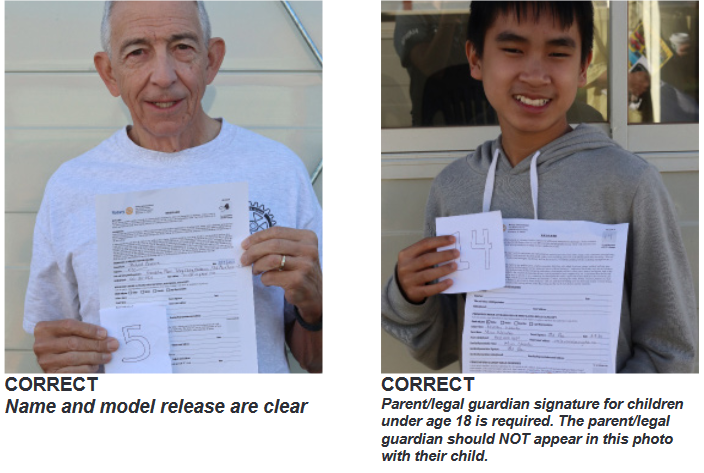
Important note:  Yes, Rotary International Photo/Likeness Releases have been signed by all individuals in all these photos, including by parents of the minor children/teens, for all these photos. 
Rotary International used all of these District 5890 photos in Brand Center - Click here to view all 85 photos.
To download any photo or social media ad on the above webpage:  Select the item you want to download, and then "right click" on the item.  In the pop-up window, select & click "Save As" and it will automatically download in your computer (usually in your computer's "Download" file) 
(You can also find the "Videos, Photos & Social Media Ads" webpage in our Navigation Menu at the top of each of our D5890 webpages)
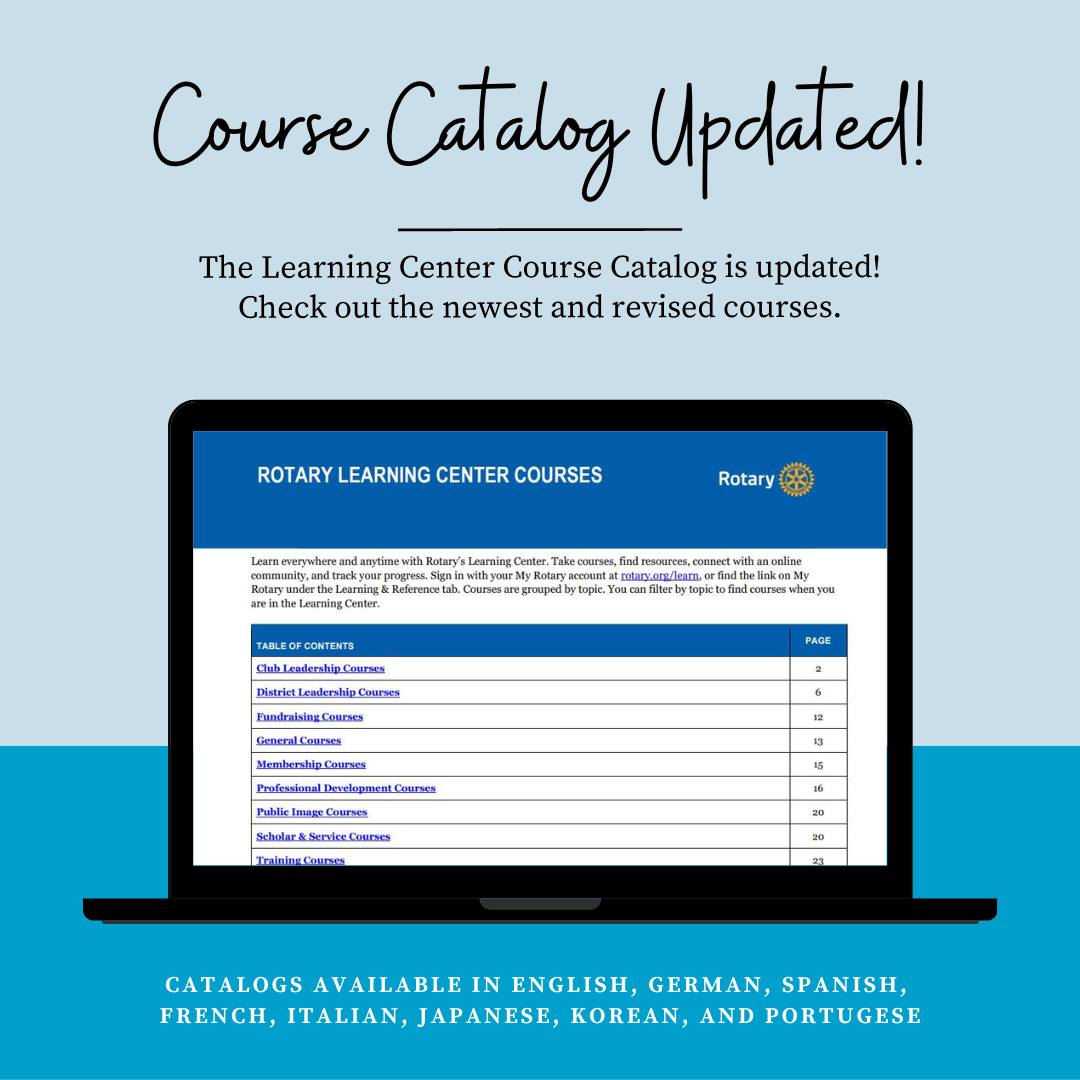
UPDATED Learning Center Course Catalog 
Rotary's Learning Center is the "one-stop-shop" for ALL Rotarians to learn more about making the most out of their membership.
Please encourage your 2026-2027 club officers and members take advantage of the remarkable FREE courses to learn more!
 
Click here for a list of all the courses available for club leaders, committee members, and club members.
Is Your Website Updated for 2026-2027?
Webinars are Role Based so encourage all club officers to watch & learn!  
 CLICK HERE to watch the 20+ recorded webinars
Who Should Attend:
  • District Executives
  • Club Executives: Presidents, Secretaries, Treasurers, etc.
  • Clubs that DON'T Subscribe to ClubRunner - The Beginner and also the Advanced "Club Executive Trainings on District Version" webinars are suggested for all club executives but they are especially important for clubs that don't have a club version subscription to ClubRunner.
  • Club Members, Club Administrators, Event Planners, Membership Chairs, Website Content Editors, Newsletter Editors, Web Administrators & Designers (Webmasters)
Discover new ideas and best practices to help increase your club's membership, and also how to retain members!  They're free and are lead by Rotarians that are experts in membership.  ALL Rotaractors and Rotarians are invited and encouraged to attend!
WHEN:  3rd Tuesday of each month
TIME:  6 PM CST - 7 PM CST
July 15, 2025 at 6 PM is the next webinar. 
Rotarians are People of Action!
Click below to watch video!
Rotarians ar People of Action!
Click below to watch video!
 
Below are links to District 5890 Committees plus the District Secretary & District Treasurer
For links to other District 5890 Committees, Assistant Governors, and more - Please Click Here!
Click Here for website of District Secretary, Kaliko Veiseh
Info Includes:
  • Role of District Secretary
  • Role of Club Secretary
  • 2025-26 District Dues Invoice
  • 2025-26 "Youth Services" Check Request (RYLA & Interact)
  • 2025-26 "General Purpose" Check Request
  • 2025-26 "Youth Exchange" Check Request

Click Here for website of District Treasurer, Beverly Hensley:
Info Includes:
  • Role of District Treasurer
  • Role of Club Treasurer
  • 2025-26 District Dues Invoice
  • 2025-26 "Youth Services" Check Request (RYLA & Interact)
  • 2025-26 "General Purpose" Check Request
  • 2025-26 "Youth Exchange" Check Request
For individual webpages for the above Rotary Programs, click the "Youth Programs & Young Professionals" tab on RotaryD5890.org
 
Other District 5890 Committees can be found in the "Committee" tab on RotaryD5890.org
Chair:  PDG Eric Liu (click to email)
Note: 
District 5890 Committees can be found in the "Committee" tab on RotaryD5890.org
 
Chair: Todd Breton (click to email)
Note: 
District 5890 Committees can be found in the "Committee" tab on RotaryD5890.org
Co-Chairs:  Tommie & Charlie Buscemi (click to email)
Note: District 5890 Committees can be found in the "Committee" tab on RotaryD5890.org
IMPORTANT LINKS FOR 2026-2027 ROTARY CLUB PRESIDENTS
Congratulations on your selection as the 2026-27 President of your Rotary Club or your Rotaract Club. District Governor Camille, plus her District 5890 Leadership Team, are here to assist you during your presidential year.
other.
This webpage is a resource for you to easily find materials to help you, and your club's leadership team throughout 2026-2027.  If you have any questions or need help, or if you would like to suggest additional material to be added to this webpage, please click here to email Tommie Buscemi, Rotary District 5890 Webmaster and Public Image Committee Co-Chair.
 
Click the title to open the six items below, or use the blue buttons beneath this section.
Note:  To access resources below, you will need a "My Rotary" Account - (Click here for instructions to create one.)
 
1.  ROTARY CLUB CENTRAL:   (For direct link, scroll below to the blue "1. Rotary Club Central" button below)
This is where club leadership teams plan together, track progress, plus set and achieve goals together to plan the important work that Rotary clubs do worldwide. 
2.  ROTARY LEARNING CENTER:  (For course links, scroll below to the blue "2.  PDF List of Rotary Learning Center Courses" button below)
This is your one-stop-shop for learning to make the most out of your membership and leadership year.   The Learning Center offers courses on leadership, communication, change management, conflict resolution, and more.
 
3.  ROTARY BRAND CENTER  (For direct link, scroll below to the blue "1. Rotary Brand Center" button below)
Brand Center has the tools to help your club tell your stories of service and impact in a unified way that is distinctly Rotary.  Use the Brand Center's promotional resources — photos & videos, templates, downloads, and more — to update your websites and social media accounts to show your community that we're people of action.
 
4.  "CLUB PRESIDENT HANDBOOK" & MATERIALS FROM ROTARY LONE STAR PETS  (For link, scroll below to the blue "4. President's Handbook from Lone Star PETS" button below)
This is a great resource throughout your leadership year.
 
5.  CLUB OFFICER ROLE RESOURCES (For direct link, scroll below to the blue "5.  Club Role Resources" button below)
What's my job, and what do I need to do?  The link below will provide helpful information to help Club Presidents, Secretaries, Treasurers and Committees learn what to expect and how to prepare.
 
6.  ROTARY "SERVICE PROJECT CENTER" (FORMERLY "ROTARY SHOWCASE") (For direct link, scroll below to the blue "6. Rotary Service Project Center" blue button below).  Rotary Service Project Center is an online application that allows Rotarians and Rotaractors to share stories of their clubs' successful projects with people around the world, and find partnerships.
 
Use the blue buttons below to explore the resources above!
LINKS TO THE SIX TOPICS ABOVE CAN BE FOUND USING THE BUTTONS BELOW
Crafting Your Club's Future By Setting Goals
Club officers are now able to set club goals for three years at a time. This new feature makes it easier for club officers to plan and to adjust their club goals as needed.  Use the information sheet below to lead your club in a goal-setting session to determine which of the 26 goals in Rotary Club Central fit your club’s needs and what you hope to accomplish.    
Rotary takes the protection of youth very serious! 
Club presidents, club members, Rotary district governors, district youth protection officers, etc. involved in Interact, RYLA, or Rotary Youth Exchange should review the materials in this section.
Districts may also apply these guidelines to other youth activities or when working with any vulnerable population.
 
Click here to download and read the Rotary Youth Protection Guide which is a comprehensive manual to providing a safe and secure environment for all young people involved in Rotary programs and activities.  It includes guidelines for developing, implementing, and maintaining an effective district youth protection program. The methods described in this guide can be modified to comply with local laws and should be used in combination with other locally developed training resources.
 
All club and district leaders involved in Interact, RYLA, or Rotary Youth Exchange should review this guide and also the following two resources:
           
Does Your Club Use A Photo Release When Taking Photos?
Consider Following The Same Procedure As Rotary International Does!
Do you really need a Photo/Model/Likeness Release?  Click the button below to learn more. 
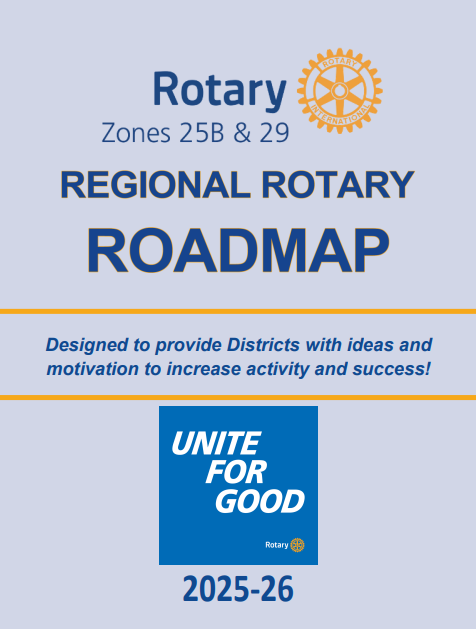
Use This 2025-2026 Public Image Roadmap To Plan A Successful Year Of Promoting Your Club!
Which Club Will Earn the 2025-2026 "District 5890 Public Image Club Of The YEAR?"
(NOTE:  OUR 2026-2027 AWARD REQUIREMENTS FOR DG CAMILLE'S YEAR WILL BE POSTED ON SEPTEMBER 1, 2026 TO
AVOID CONFUSION WITH OUR 2025-2026 AWARD SUBMISSION)
 
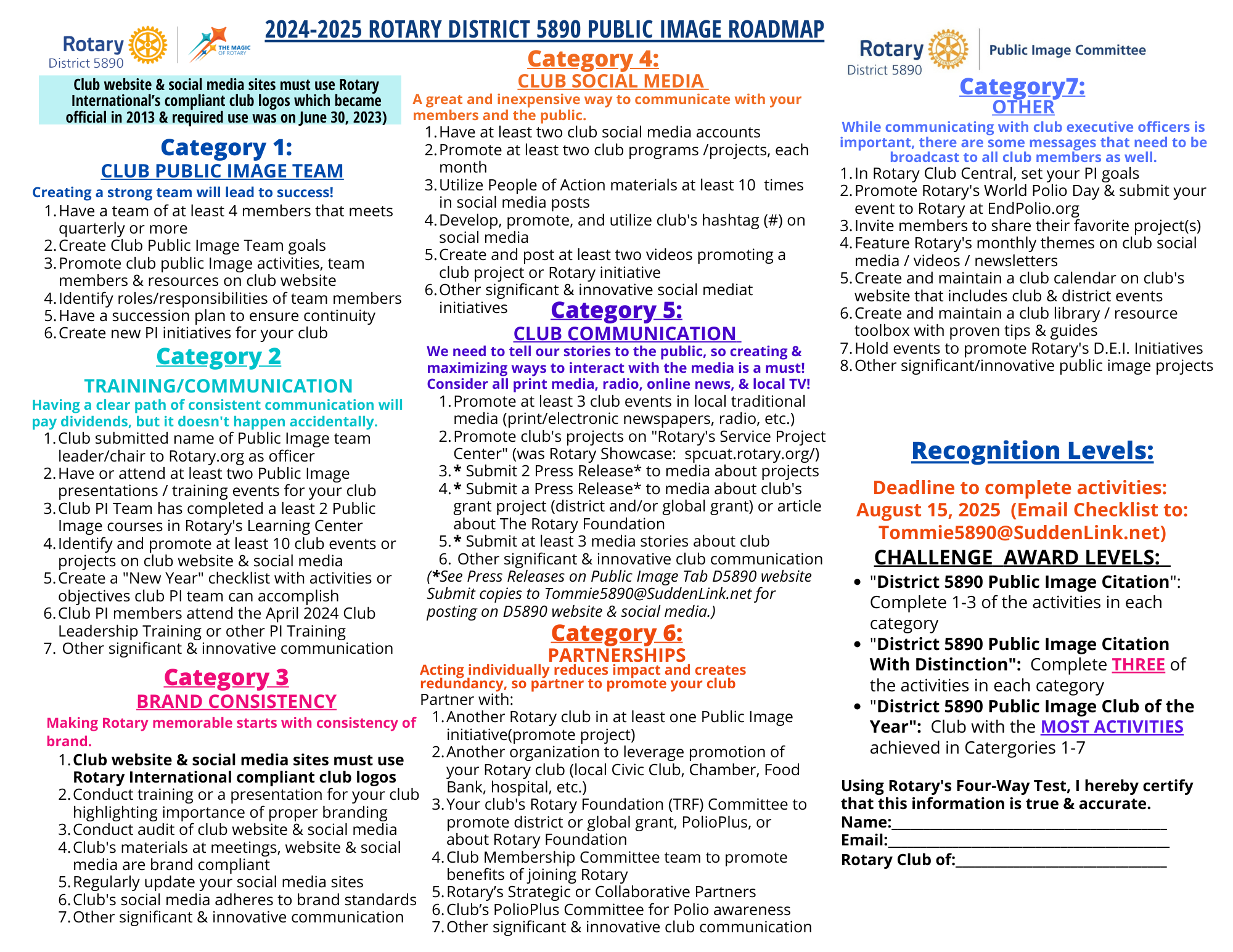
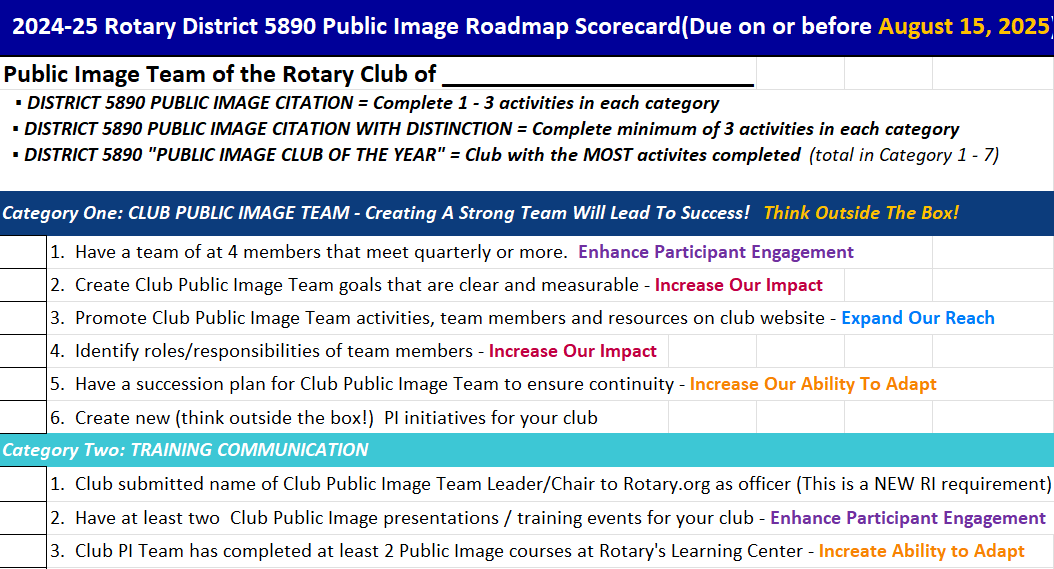
We want our District 5890 clubs to get excited and motivated to take their public image to a whole new level!  Use this Public Image Award as your "ROADMAP" to discover ideas and get motivated to increase your public image!
If you have questions, please contact Tommie Buscemi at Tommie5890@SuddenLink.net.
 
The Public Image Roadmap includes best practices that lead to a successful achievement in the goals of promoting your club in the community.
 
All clubs that participate will receive acknowledgement and a certificate.  The club that achieves the most achievements in Categories 1-7 will be the recipient of the "2025-2026 District 5890 Public Image Club of the Year."
 
 Use this Public Image Award as your "ROADMAP" to making an impact!
The District 5890 "Buscemi Award for Public Image Award" isn’t just a competition to give awards…it’s so much more:
  • It provides a ROAD MAP and PLANNING TOOL for clubs to increase their Public Image efforts
  • It will give a FOUNDATION and FOCUS to our training activities
  • It will RECOGNIZE clubs for their efforts and a job well done
  • It will help use SHARE BEST PRACTICES and provide IDEAS between clubs
  • It will create FRIENDLY COMPETITION, which equals more Rotary impact
  • It’s FUN!
ROTARY REGION 36 (ZONES 25B & 29) "ROADMAP" REQUIREMENTS FOR OUR ROTARY DISTRICT 5890
FOR MEMBERSHIP, FOUNDATION, PUBLIC IMAGE, POLIO, AND ENDOWMENT / MAJOR GIFTS TO ACCOMPLISH IN 2025-2026
Rotary District 5890 has goals for our clubs just as the Rotary Zones 25B & 29 have goals for District 5890!  The Rotary Zones 25B and 29 Coordinators have gathered some of the best practices that lead to successful achievement of the goals in Membership, Foundation, Public Image, Polio, and Endowment/Major Gifts. In order to encourage our District 5890 for the development of successful strategies, the Zone Leaders have created a Regional Rotary Roadmap for each district that demonstrates adoption of the interventions. 
 
LEARN ABOUT THE ROLES FOR NEW MEMBERS, CLUB & DISTRICT OFFICERS
Whether you’re new to Rotary or a longtime member looking for ways to get more involved in your club or district, we have information and resources to help you achieve your goals.
My Rotary Account required to view!
Extra!  Extra!  Read All About It!  Sharing Your Success With The Media!
So you need to get some attention, create awareness, and start a little media buzz about your club.  Maybe it's a fundraiser, service project, publicizing the work of an outstanding Rotary member, or telling the community about a major announcement. But you must ask yourself: is this information newsworthy?  
 
A short well-written press release is a cost-effective marking tool to get the media's attention by making an official announcement.
 
Here's a rule to remember if you want the media to pay attention:  It should only be one-page (or less)!   It should tell them the who, what, where, when and WHY.  Include your Rotary club's name, your contact info, and tell them that you'll be calling/emailing them to confirm receipt.
 
Below are links to customizable media templates from Rotary Brand Center:
RESOURCES:
WHAT IF THERE IS A CRISIS?

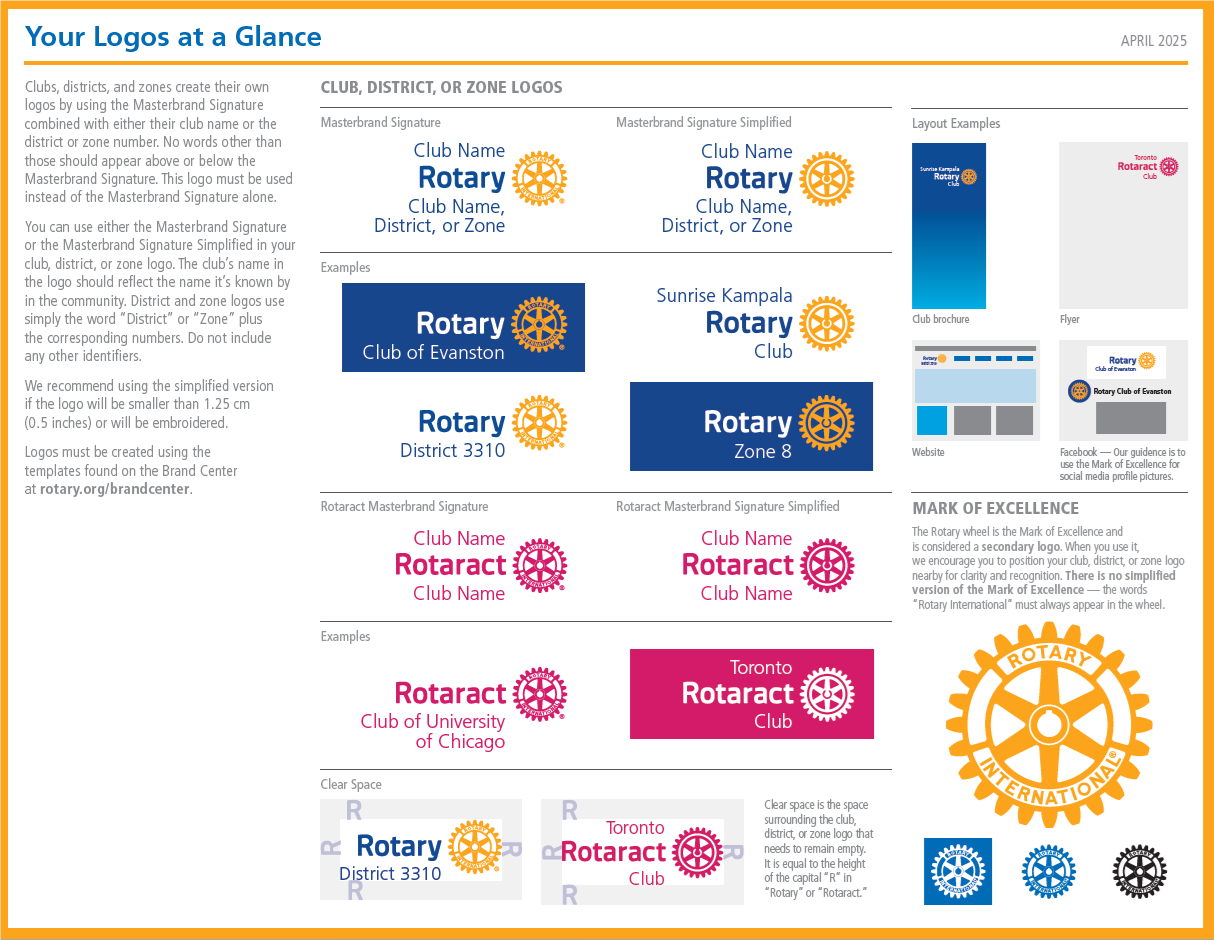
WHAT DOES A "CORRECT" CLUB LOGO LOOK LIKE?

Below is Rotary's 2-Page "Your Logos at A Glance" Guide which shows you examples of correct logos layouts.
Your club name can be "Below" the word Rotary like the example "Rotary Club of Evanston" or "Above and Below" like the "Sunrise Kampala Rotary Club"
 

do's and don'ts - avoiding common errors with rotary's trademarked brand

Every member plays a role in strengthening the Rotary brand. You and your club help build Rotary’s brand recognition by using our logos correctly and consistently.

Review the examples below of how to use Rotary’s brand guidelines in order to avoid common errors.  Note:  These are screenshot photo from Rotary Brand Center, so links in the screenshot do not work - If there is a link referenced, the link is provided beneath the photo.

Click here to visit the "Do's and Don'ts" webpage in Brand Center.
RULES FOR NAMING CLUB PROJECTS OR EVENTS
Please note that these guidelines are outlined in the Rotary Code of Policies which is one of Rotary's Governance Documents which apply to all Rotary clubs.
 
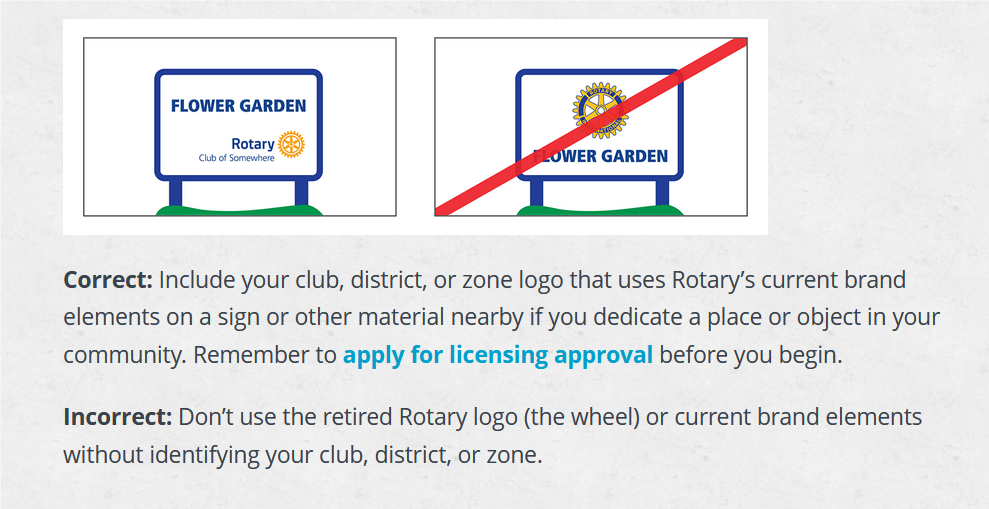
The name "Rotary House", "Rotary Garden", "Rotary Camp" etc. is not allowed!
When naming a project, event, or website URL, you must include the name of your club or district if you want to include the word Rotary or Rotarian(s). For example, instead of calling your event "Rotary Bingo", call it "Rotary Club of Evanston Bingo Night". You might also call it "We Love Bingo!", leaving out any reference to Rotary.  Please note that when using your club name, your club must be in full control of the event or project. The Rotary name cannot be licensed to a third party. For example, if a summer camp is opening in cooperation with your club, don’t name it Rotary Camp.
 
If desired merchandise/signage is not available from a Licensed Rotary Vendor, Rotary International must approve the use of the Rotary Marks by unlicensed companies. You must complete the online "Rotary One-Time Trademark Use Authorization Application" (it's FREE) - Click here to apply for licensing approval.
OUR BRAND
Rotary's logos reflect the story of who we are.
 
A consistent voice and visual identity are essential components of a strong brand. By using the design elements in Rotary's "Your Logos At A Glance" Guide, you ensure that our brand is presented in a unified way, helping to build awareness and recognition of Rotary and Rotaract.  You can find more information on the Brand Center at rotary.org/brandcenter.
 
In your logo, use the name on your charter or the name your club is known by in your community. Because “Rotary” is already in the logo, you don’t need to repeat it. Use PDF (vector) for print and embroidery, JPG for digital, and PNG for digital with a transparent background.

club logos

A Rotary club logo includes the Masterbrand Signature and the club name. Use your club logo instead of the Masterbrand Signature on any club communications. In your club logo, use the name on your charter or the name your club is known by in your community. Because “Rotary” is already in the logo, you don’t need to repeat it. For example, the Rotary Club of Evanston, Illinois, USA, would add only “Club of Evanston” below the Masterbrand Signature. 

You can choose either the Masterbrand Signature or the Masterbrand Signature Simplified when you create your club logo. We recommend using the simplified version if the logo will be smaller than 1.25 cm (0.5 inches) or will be embroidered.  The default colors of the logo are set in the template. The logo can appear only in the color options provided. Please use the full-color logo in most cases. If that doesn’t provide enough contrast, choose the one that works best for your needs. 

Learn more about creating logos for multiple entities.  Important Note:  Lockups should not be used as your club logo.  Lockups are only used to show a relationship between your club, district, community partners, sponsors, programs, fundraisers or events. Only one logo can be featured in a lockup with your club logo. 

CREATE A CUSTOM CLUB BROCHURE IN ROTARY BRAND CEnter

Watch the 2:10 minute "How to Create A Club Brochure" how-to video below to learn how to use the Rotary Club brochure template.  You'll learn how to design and create a trifold club brochure which you can customize to showcase your club's projects and personality while introducing people to Rotary.  Edit the text, then upload club photos or choose from photos that Rotary International has provided.

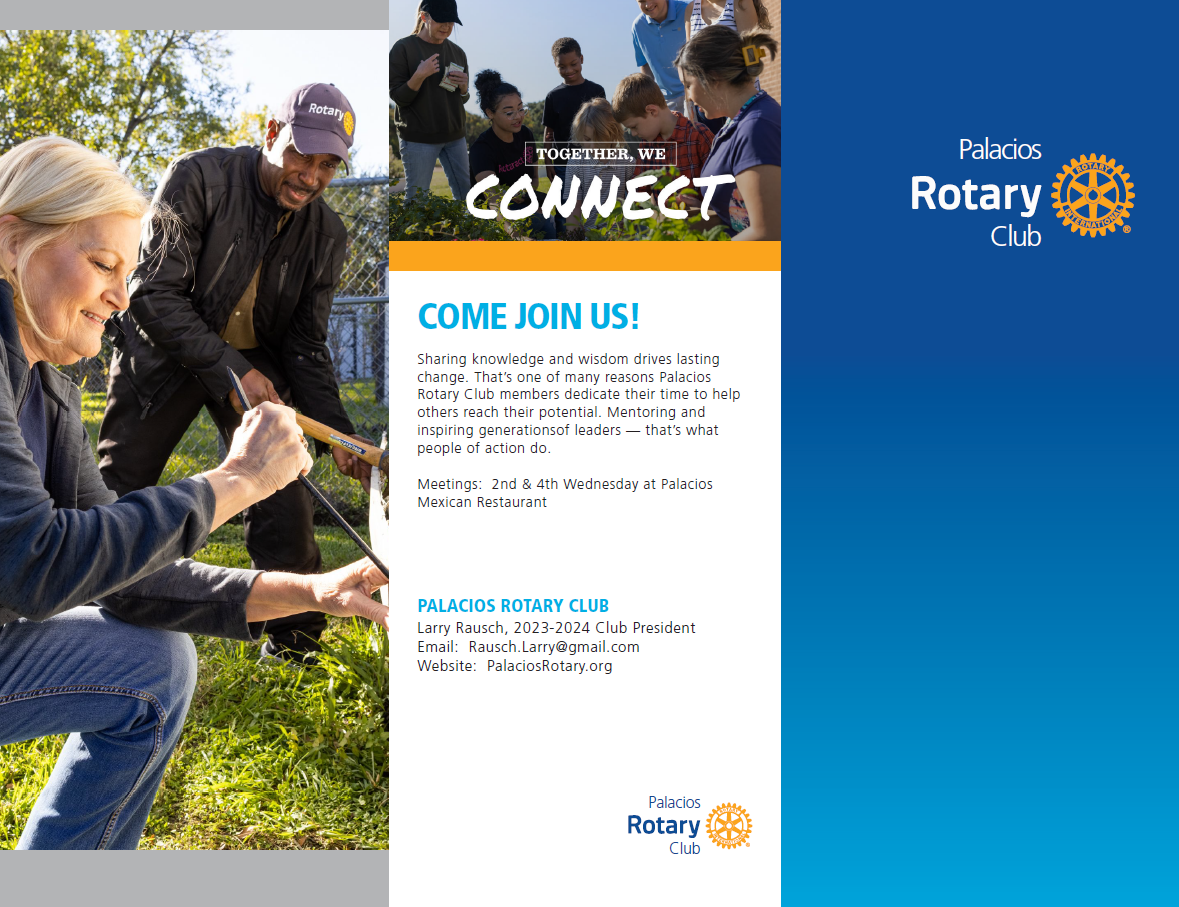
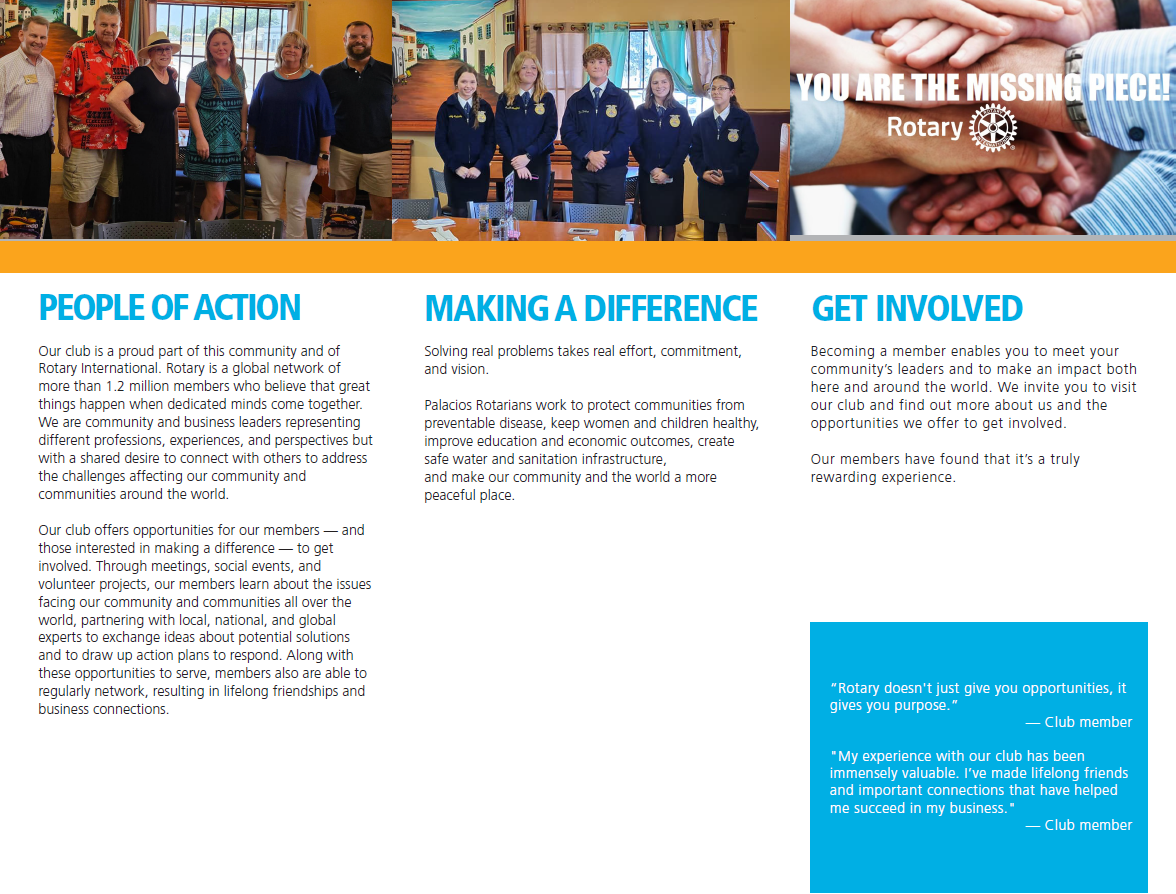
example of a club brochure

To help you get started, below is an example of a club brochure created in Rotary Brand Center for a D5890 Rotary club.  To help Rotary clubs create their own club brochure, click here to download the "Word" document with the text used to create the brochure below. 
 
Since it is a "Word" document, you can copy, paste, and edit the text.  Hint: Each section of the "Rotary Club Brochure" template has a limited  number of spaces in each section for your text, so keep the information length similar to the number of characters in the Word document.  
 
Choose from images provided by RI, or upload your own club photos.  You can also use photos taken of District 5890 Rotarians & Rotaractors and their projects taken by Rotary International photographers that were sent to Houston to create promo materials the 2022 Rotary International Convention in Houston - click here (Adults and children in the photos have signed a legal Rotary International Photo Release so they are safe to use.) 
 
Once completed, you can download (in PDF) your brochure and print on your own color printer, or have a professional print your brochure.  If you plan to have a professional print your brochure, choose the option to download with "crop marks".
 
Note:  Your brochure template cannot be "saved" on the Brand Center website, so save your text and images in your computer where you can easily find them in case you want to make changes or edits.
  
Here's the direct link to the Club Brochure Template in Rotary Brand Center:   https://brandcenter.rotary.org/en-us/asset?id=133177585&lang=EN
 
Example of Club Brochure:  On the left is the "Front", and on the right is the "Back"
(Click the photos below to download and print for reference when creating your club's brochure)